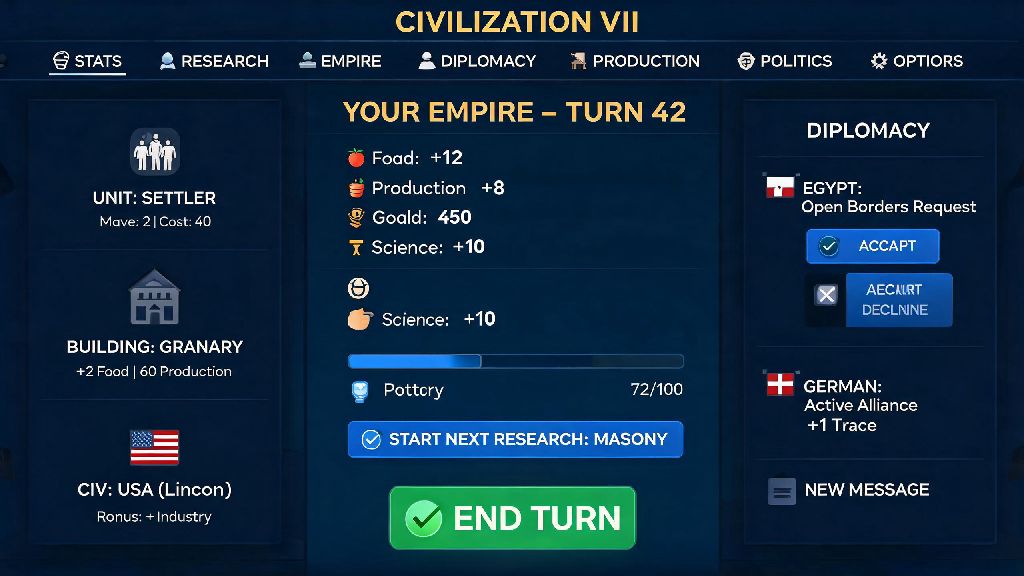
If you’ve logged into Civ 7 in the last week, you’ve probably noticed the long-requested Civilization 7 menu update that dropped alongside the small bug fix patch. I’ve spent around 12 hours testing every new menu change across single-player deity runs and 4-player multiplayer lobbies, and I can say this is one of the most user-focused updates Firaxis has rolled out for the game so far. It doesn’t add new civs or victory conditions, but it fixes almost every small frustration I’ve had with navigating the game’s UI since launch. I’ll break down every meaningful change, what works, what still feels half-baked, and how you can use the new menu features to save time during your runs.
Core Changes Included in the Recent Civilization 7 Menu Update
The entire update is focused exclusively on UI and quality of life tweaks, with no balance changes to units, buildings, or civ abilities. That means you don’t have to re-learn any core strategy to enjoy the new features, they just make existing gameplay feel smoother. The most impactful changes are:
I was most excited for the unified production queue, since I usually run 10+ city empires and was spending 2 minutes per turn switching between tabs to queue up buildings. That change alone cuts my turn time by almost 30% on late-game deity runs, which is a bigger quality of life win than any balance patch we’ve gotten so far. The only small downside here is that the unified tab doesn’t show building maintenance costs by default, you have to hover over each item to see that info. It’s a small oversight, but Firaxis has already noted they’re adding a toggle for that in the next hotfix.
How the New Menu Features Improve Multiplayer Lobbies
If you regularly play Civ 7 with friends, you’ve definitely run into the old lobby menu headaches. Before this update, if you wanted to change the turn timer after someone joined the lobby, you had to back out to the main menu, reset all your settings, and re-invite every player. That usually added 10 minutes of waiting time before every multiplayer run, and more than once my group gave up and played a different game entirely because we got tired of messing with settings.
The new quick-access settings fix that entirely. You can adjust almost every pre-game rule right from the lobby, and all players get a pop-up notification when a setting changes so no one misses a rule tweak. Hosts can now also save custom lobby presets, so if you always play with no science victory and 1-minute turn timers, you can load that preset in one click instead of adjusting 12 separate settings every time. I tested this with my regular group last weekend, and we got into a game 8 minutes faster than we usually do. The only missing feature here is the ability to save custom civ bans per preset, but that’s already on Firaxis’ public roadmap for future updates.
Hidden Menu Features Most Players Miss
Most of the update’s changes are obvious when you first log in, but there are a few small tweaks that Firaxis didn’t list in the official patch notes that are worth checking out. For one, you can now right-click any notification to dismiss all alerts of that type permanently. If you don’t care about barbarian camp spawn alerts when you’re playing a peaceful culture run, you can turn those off entirely without digging through the main settings menu.
You can also drag and drop menu tabs to reorder them to match your playstyle. I moved the production queue tab to the far left of my city menu, since that’s the one I use most often, and moved the religion tab to the far right since I almost never play religious victories. Another hidden feature is the ability to hover over your civilization’s icon in the top menu bar to see a quick breakdown of your current victory progress, no need to open the full victory screen to check how many tourists you need for a culture win. That’s a huge time saver for late-game runs where you’re balancing multiple victory paths at once. The only catch is that these custom menu layouts don’t sync across devices yet, so if you play Civ 7 on both a desktop and a laptop, you’ll have to redo your layout on each device.
What’s Still Missing From the Menu Overhaul
As much as I love this update, it doesn’t fix every menu frustration I’ve had with Civ 7 since launch. The trade route menu is still clunky, with no way to filter routes by yield type or sort them by how long they take to complete. That’s a big pain point for players who run trade-heavy economic empires, and it’s surprising it didn’t make the cut for this update.
There’s also still no way to bulk queue production across multiple cities, which is a feature that existed in Civ 6 and has been requested by thousands of players on the official feedback forum. Firaxis has confirmed that bulk queuing is in development, but it won’t roll out until the next major content update later this year. Another small issue is that the new notification pin feature doesn’t work for city state requests, so those alerts still get buried under other notifications if you don’t check them right away.
None of these flaws ruin the update, but they’re worth noting if you were hoping this patch would fix every UI issue in the game. For what it’s worth, this update is a clear sign Firaxis is listening to player feedback, so we’ll probably see most of these missing features added in the next few months.
At the end of the day, the Civilization 7 menu update is a small but meaningful improvement that makes every part of the game feel more polished and user-friendly. It doesn’t shake up the core gameplay or add new content, but it fixes most of the small, daily frustrations that add up over long playthroughs. If you haven’t taken 10 minutes to play around with the new menu features yet, I highly recommend doing so before your next run. Even small tweaks like reordering your menu tabs or pinning high-priority notifications will save you hours of time over the course of a few full playthroughs. We don’t know what the next Civ 7 update will bring, but if this patch is any indication, future changes will be focused on making the game easier and more fun to play for both new and long-time fans.