I’ve been a diehard Civ fan since I spent weekends binging Civilization 3 in my college dorm, so I jumped at the first chance to get hands-on with the Civilization 7 demo when it dropped last week. A lot of players are still confused about who can access it, what content is included, and whether it’s worth downloading if you’re still on the fence about buying the full game. I put 12 hours into the demo over three days, testing every available leader, mechanic, and difficulty setting to pull together everything you need to know before you boot it up for the first time.
What Content Is Included in the Civilization 7 Demo?
The demo isn’t just a 10-minute teaser like some other franchise previews – you get full access to the first 100 turns of a standard playthrough, with a curated list of leaders and map types to choose from. You don’t have to pay anything to download it, and you don’t need a pre-order of the full game to access it, which is a nice change from recent AAA pre-release practices.
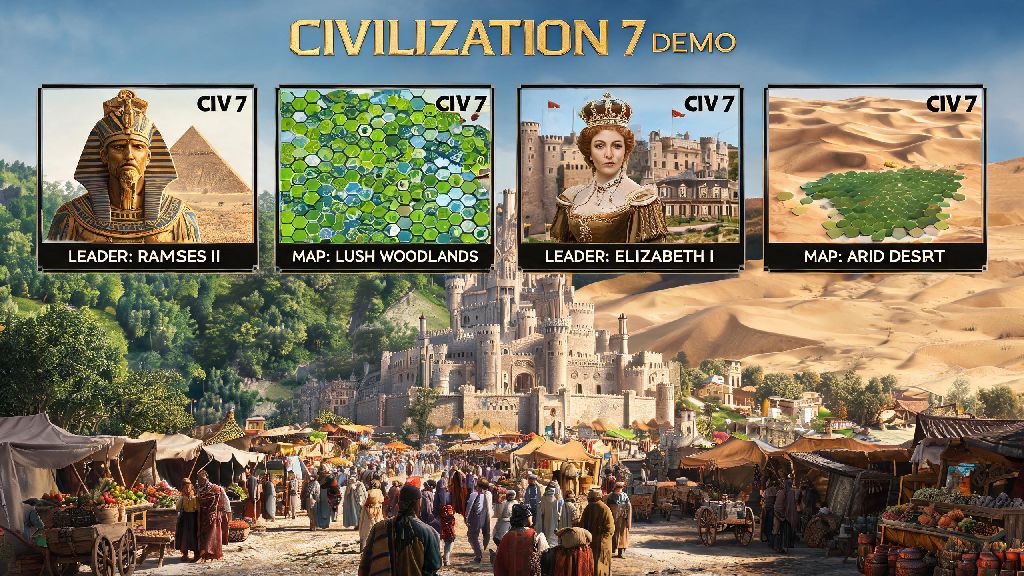
You’ll get to test out four core leaders at launch: Tokugawa of Japan, Hatshepsut of Egypt, Simón Bolívar of Gran Colombia, and Victoria of England. Each leader has their full unique ability, unit, and building unlocked, so you can get a real feel for how their playstyles differ before you pick your main for the full game. Map options are limited to small continental, island plates, and pangaea, but all difficulty settings from Settler to Deity are available, so you can test your skill no matter your experience level.
One thing I was surprised to see included is the new district overhaul system, which lets you stack related buildings in a single district instead of placing them separately across your city. This is one of the biggest changes to the Civ formula in 15 years, and getting to test it early lets you plan out your city layouts long before the full game launches.
There are a few key features locked out of the demo to avoid spoiling the full game, including:
None of these missing features take away from the core experience, and you’ll still get a complete picture of how the base game plays before you decide to buy.
How to Access the Demo on All Supported Platforms
Accessing the demo is straightforward, but there are a few small hoops to jump through depending on what platform you play on. I tested access on both PC and console to make sure these steps work for every player, no matter what setup you have.
For PC players on Steam or Epic Games Store, you just need to search for the Civilization 7 store page, scroll down to the demo section, and hit download. It’s 18 GB, so make sure you have enough space free before you start the install. If you already pre-ordered the full game, the demo will automatically show up in your library without needing to search for it separately.
Console players on PS5 and Xbox Series X/S can find the demo in the “New Demos” section of the store homepage, or search for it directly. There is no demo available for last-gen consoles (PS4, Xbox One) or Nintendo Switch, as the full game is only releasing for current-gen hardware and PC. You don’t need an active online subscription to play the demo offline, which is great if you want to test it while traveling or without an internet connection.
Some players have reported issues with the demo not showing up in their store, especially in regions where the full game hasn’t been officially priced yet. If that happens to you, try switching your store region to the US or EU temporarily, or wait 24 to 48 hours for regional listings to update. I had this issue on my EU PSN account, and it resolved itself after a day with no extra steps needed.
Key Mechanics to Test During Your Demo Playthrough
You only get 100 turns per playthrough, so it’s smart to prioritize testing the biggest new changes to see if they click for you before you buy the full game. I ran three separate playthroughs to test every new mechanic, and these are the ones I recommend focusing on first.
The new population loyalty system is the biggest shift from Civilization 6, and it completely changes how you expand your empire. Instead of just dealing with city unhappiness from overcrowding or lack of amenities, each city’s population has loyalty to your government, and if it drops too low, the city can secede and join a neighboring civilization, or become a free city state. It adds a whole new layer of strategy to war and expansion, and it’s worth testing how it works with different leader abilities early on.
You should also test the new trade route overhaul, which lets you stack multiple trade goods on a single route instead of running separate routes for each resource. I found this cuts down on a lot of the late-game micromanagement that turned some players off of Civilization 6, and it makes playing tall (building a small, powerful empire) much more viable than it was in previous entries.
Don’t skip testing the new combat flanking system either. It now gives you a 25% attack bonus if you have units on two sides of an enemy, and a 50% bonus if you surround them completely. This makes melee unit combinations way more effective than just spamming ranged units like you could in Civ 6, and it makes early-game wars feel far more tactical. I won my first Deity level playthrough of the demo by using flanking to take out a neighboring capital before they could build their first set of defensive walls, which would have been almost impossible in the previous game.
Should You Spend Time Playing the Demo Before the Full Launch?
A lot of players I’ve talked to are worried that playing the demo will spoil the full game for them, or that their progress won’t carry over, so they’re planning to skip it entirely. After my 12 hours with the build, I can say that’s a mistake for most players, but there are a few cases where you might want to wait.
If you’re already a huge Civ fan who pre-ordered the deluxe edition months ago, the demo is a great way to practice the new mechanics so you can hit the ground running when the full game launches. Your progress won’t carry over, but the 100 turn limit is short enough that you won’t feel like you wasted time on a playthrough you can’t finish. I already have a way better idea of how I want to build my first full empire after testing the demo, so it saved me hours of trial and error already.
If you’re on the fence about buying the game, the demo is a no-brainer. It’s completely free, and it gives you enough content to tell if the new changes are worth the price tag for you. You don’t have to commit to anything by downloading it, and if you don’t like the new mechanics, you can just uninstall it with no loss. I know a few players who were frustrated by Civ 6’s district system and thought they would skip Civ 7 entirely, but they loved the new stacked district system in the demo and pre-ordered right after playing.
The only people who should skip the demo are players who hate being spoiled on new game content. The first 100 turns don’t reveal any late-game surprises, but you will get a feel for the core loop, and if you want to go into the full game completely blind, you’re better off waiting. But for 90% of players, the demo is a great use of a few hours of free time.
At the end of the day, the Civilization 7 demo is one of the most generous pre-release previews I’ve seen from a major studio in years. It doesn’t lock content behind pre-orders, it gives you full access to all the core new mechanics, and it’s short enough that you don’t feel like you’re missing out when the 100 turn limit hits. Whether you’re a lifelong Civ vet or a brand new player curious about the franchise, it’s well worth taking the time to download and test it for yourself.