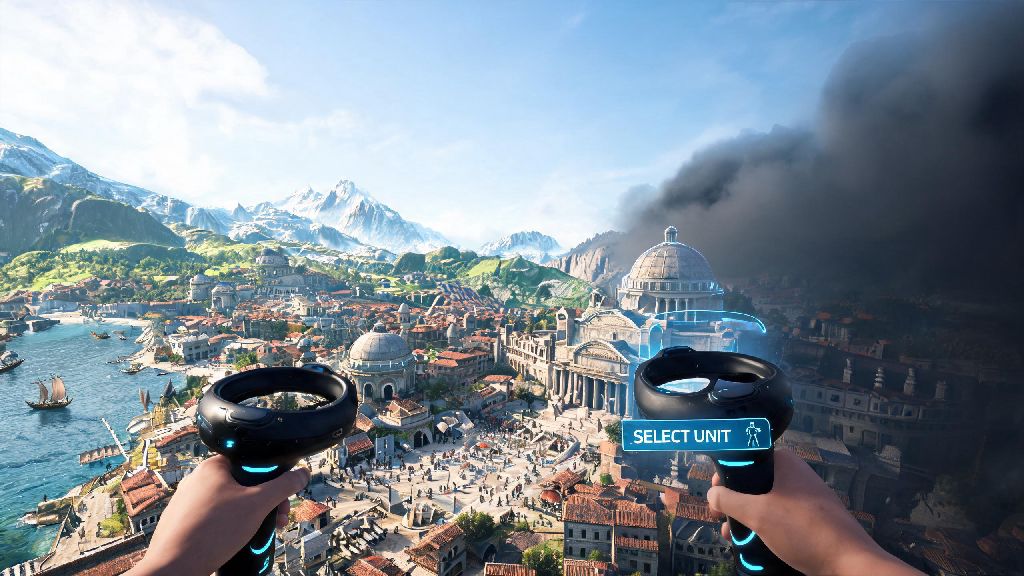
If you've spent hours hunched over your desktop moving units and founding cities in the Civilization franchise, the first time you boot up Civilization 7 VR gameplay feels like stepping inside a world you only ever saw from a top-down view before. You can lean in to inspect individual citizen homes on your city tiles, reach out to move a warrior unit across a mountain pass with your own hand, and even lean over the edge of your play space to scout unexplored fog of war tiles off the edge of your current map. It's not just a reskin of the base game -- the VR format changes how you plan, strategize, and interact with every part of your growing empire. You don't have to be a long-time Civ fan to enjoy it either, even new players can pick up the basics faster than you'd expect with a few small adjustments.
Core Control Differences to Master for Civilization 7 VR Gameplay
The biggest shift from desktop Civ 7 to the VR version is how you interact with the game world, and skipping the initial control tutorial is the fastest way to frustrate yourself on your first run. You can use either hand tracking or controllers, but most players find controllers offer more precision for moving units and navigating nested menus, especially during longer play sessions. Always calibrate your play space before starting a new run because if your boundary is off, you'll accidentally reach outside your play area when trying to move a unit to a far tile or adjust a city's production queue. Turn on "grip to hold" for unit movement instead of toggle if you tend to accidentally drop units mid-move, that's a common beginner mistake that can cost you turns when you accidentally leave a warrior stranded outside enemy territory.
There are a few small control adjustments you can make right off the bat to cut down on learning time:
How to Avoid Motion Sickness During Long Civ 7 VR Sessions
A lot of strategy game fans new to VR assume they can play for 4 hours straight like they do on desktop, but that's a fast way to end up with a headache that ruins the rest of your day. Start with 30 minute sessions the first week, gradually increasing as your VR legs build up, and don't push through dizziness if it hits. Keep a small fan pointed at your face while you play -- the constant airflow reduces feelings of disorientation by reminding your brain you're standing still in real life, even when you're scrolling across the map. Avoid using smooth turn if you're new to VR, even if it feels more immersive at first, because the slow, continuous rotation is the number one cause of motion sickness for new VR players.
If you need to take a 5-minute break mid-session to reset your eyes and rest your legs, it's smart to have a low-effort, low-movement activity to fill that gap so you don't lose your train of thought for your empire strategy. A lot of players I know reach for quick, casual round-based games during these breaks, and Rummy888 is a popular pick that fits perfectly into short break windows without pulling you too far away from your game plan. When you're done with your short break, you can jump right back into your Civ 7 run without feeling disoriented or forgetting what you were planning to build next. Also, make sure you're wearing your VR headset adjusted properly -- if it's slipping down your nose or pressing too hard on your cheeks, that will add to discomfort faster than any movement settings.
Immersion Boosts That Make VR Strategy More Effective
A lot of people write off VR strategy games as a gimmick, but the Civ 7 VR format actually gives you real strategic advantages if you use it right. You can lean in to inspect individual tile yields without zooming in and out through menus, which makes it faster to pick the perfect spot for a new city or a farm improvement. You can also see barbarian camps pop up on the edge of your territory faster, because your eyes naturally pick up small movement in your peripheral vision way better than they do on a flat screen. Use the first-person city walk feature to spot unimproved tiles and unhappy citizens you might have missed from the standard top-down view. I've caught multiple unconnected luxury resource tiles I would have glossed over on desktop by walking through my city streets in VR.
You can also physically arrange your military units along border tiles like you're placing pieces on a board game, which makes it way easier to visualize your defensive line against incoming barbarian raids or rival civ invasions. Don't be afraid to physically move around your play space to get a better angle of a distant continent you're planning to colonize -- it's way faster than scrolling with a mouse or joystick. You can even hold diplomatic meetings in first person with rival civ leaders, which makes it easier to read their tone and tell if they're lying about being open to an alliance, or planning to declare war on you in the next 10 turns.
Common Mistakes That Ruin Civ 7 VR Playthroughs
Even experienced Civ players make avoidable mistakes when they first switch to the VR version, and most of them come from carrying over desktop habits that don't translate to the new format. The biggest one is forgetting that menu navigation takes a little longer than it does on desktop, so don't wait until the last second of your turn to queue up new production or research. Other players will get frustrated if you hold up multiplayer matches, and you might accidentally end your turn early before you're done making moves if you run out of time. Don't ignore the "low battery" alert on your controllers -- if they die mid-turn, you could lose unsaved progress if your headset can't reconnect quickly enough, and you might have to replay the last 10 minutes of your run.
Another common mistake is turning the immersion settings up too high right away: if you have the full citizen crowd noise and dynamic weather effects turned on 100% when you first start, it can be overwhelming and make it hard to focus on your strategy goals. Start with half the ambient volume, and turn up settings one at a time as you get used to the format. Also, don't try to play multiplayer matches in VR until you've mastered the controls in single player -- other players won't wait for you to fumble through menu options to find the trade offer button, and you'll end up at a disadvantage before the game even really gets started.
At the end of the day, Civilization 7 VR gameplay is more than just a fun novelty for long-time fans of the franchise. It's a whole new way to interact with the strategy systems you already love, with real quality of life and strategic benefits once you get past the initial learning curve. Take the time to adjust your settings, build up your VR legs gradually, and experiment with the unique control options, and you'll be founding sprawling, successful empires in VR faster than you think. You might even find you prefer it to the desktop version once you get the hang of it.