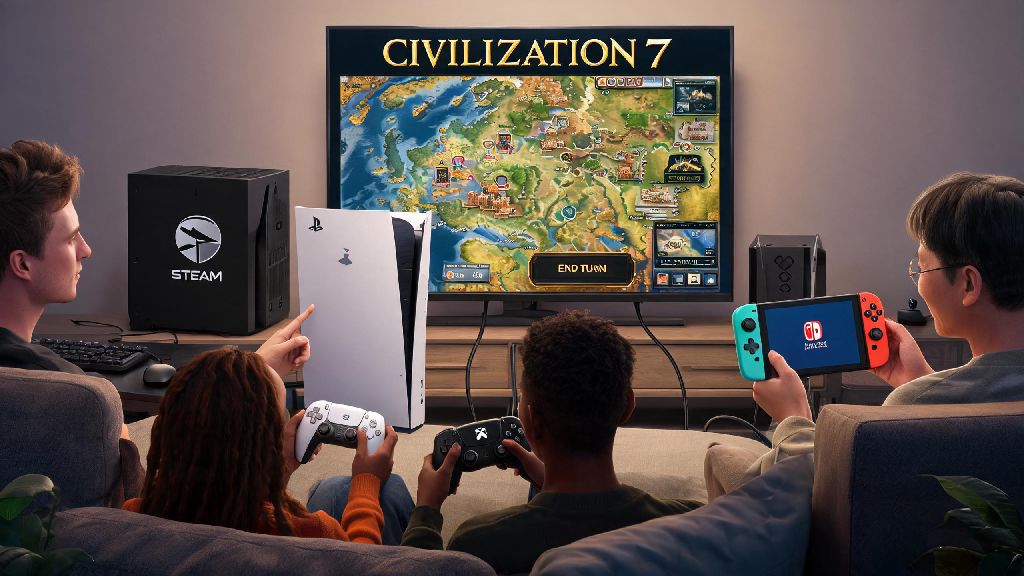
If you’ve been dying to team up or go head-to-head with friends who own Civilization 7 on different devices, you’ve probably got a lot of questions about how civilization 7 cross platform multiplayer actually works. The latest entry in the beloved 4X franchise has made big strides to break down device barriers, but there are still some rules, hidden limitations, and easy fixes you need to know before you host your first cross-play lobby. This guide breaks down every part of the experience, from setup to winning strategies for mixed-device groups.
Which Devices Support Civilization 7 Cross Platform Multiplayer?
Right now, cross-play is supported across all current-gen platforms that the game is released on, with no plans to expand support to older generation consoles. The full list of supported devices includes Windows PC (both Steam and Epic Games Store versions), PlayStation 5, Xbox Series X/S, and Nintendo Switch. Cross-play is enabled by default for all supported platforms, so you don't have to download extra patches or DLC to access it.
The only major limitation to note is that players on the same platform family can’t disable cross-play to only match with other players on their specific storefront. For example, if you own the Steam version of the game, you will still be matched with Epic Games Store players if you keep cross-play enabled. You must link your platform account to a valid 2K account to join cross-play lobbies, even if you’re only playing with friends you know IRL. This account link also lets you sync your cloud saves across devices, so you can pick up a single player game on your Switch after playing on your PC, no extra steps needed.
Step-by-Step Setup for Your First Cross-Play Lobby
Setting up a cross-play lobby takes less than 2 minutes if you have all your accounts linked already. You don't have to adjust any complicated network settings for most home internet connections, but there are a few small steps you don't want to skip to avoid getting booted mid-game. Follow this simple process to get your lobby up and running fast:
If you’re joining a friend’s lobby instead of hosting, you just have to select “Join Game” from the Multiplayer tab and enter the 6-digit code they sent you. You don't have to add them as a friend on your specific platform to join, which is a huge quality of life upgrade from older Civ entries. Long Civ 7 cross-play games can stretch on for hours, so most groups schedule breaks every few turns to stretch, grab snacks, or take a quick mental break before making big war or diplomacy decisions. A lot of players use these 5 to 10 minute breaks to play quick, low-stakes casual games to unwind without straying too far from their lobby, and Rummy Grand is a popular pick for groups that want to play a quick casual game together even during their Civ break.
Common Cross-Play Issues and Easy Fixes
Even with 2K’s solid cross-play infrastructure, you might run into small issues from time to time, especially if you or your friends have spotty internet connections. Most of these issues don't require you to restart your entire game or lobby, so try these quick fixes first before you panic about losing an hour of progress.
If a friend can't see your cross-play lobby, first confirm that they have cross-play enabled in their own settings, and that they entered the 6-digit code correctly. If that doesn't work, ask them to restart their game client, as sometimes the cross-play servers don't sync properly if the game has been open for more than 8 hours straight. In very rare cases, you might have to generate a new lobby code if the old one glitches, but that only takes a few extra seconds.
If you notice input lag or turn timer delays when playing with cross-platform friends, try turning off background downloads on all devices in the lobby, and make sure no one is streaming 4K content while playing. 4X games don't need a ton of bandwidth, but inconsistent connections can cause turn sync errors that crash the entire lobby. If you’re playing with someone on the Nintendo Switch, ask them to connect to a 5GHz Wi-Fi network instead of a 2.4GHz one, as the Switch’s Wi-Fi card is more prone to disconnects on slower networks. You can also turn off cross-play entirely if you only want to play with people on the same device as you, which can cut down on lag if all your friends own the PC version, for example.
Tips for Winning Cross-Platform Multiplayer Matches
Playing Civ 7 with people on different devices doesn't change the core game rules, but there are a few small advantages and disadvantages you can plan for to get an edge over your opponents. First, if you’re playing on a console, you can adjust your controller sensitivity in the settings to make scrolling across large maps faster, which will help you keep up with PC players who use a mouse and keyboard. Don't forget to use cross-platform voice chat if you’re playing co-op, as the in-game chat works across all devices, so you don't have to use a third-party app to coordinate attacks or trade deals.
You should also adjust your turn timer settings before starting the game if you have players who are newer to the franchise, or who play on a console and might take a little longer to navigate menus. Most casual groups set a 2-minute per turn timer for the early game, and bump it up to 5 minutes per turn once they reach the Industrial Era, when there are more units and cities to manage. If you’re playing competitively, you can turn off turn timers entirely, but make sure all players agree on how long they’re willing to play in one sitting, as cross-play lobbies can be saved and resumed later if you don't have time to finish the whole game in one session. You don't have to stick to default game modes either, cross-play works for all custom game modes, including zombie apocalypse, endless war, and tech-only victory scenarios, so you can mix up your games to keep things fresh for your group.
At the end of the day, civilization 7 cross platform multiplayer makes it easier than ever to enjoy the franchise’s iconic 4X gameplay with all your friends, no matter what device they prefer to game on. As long as you take a minute to link your accounts, double check your settings, and plan for small breaks during long sessions, you’ll have seamless, fun games with very few hiccups. You don't have to be a pro player to have a good time, either – casual groups can tweak settings to make the game as easy or challenging as they want, for matches that last a single afternoon or stretch across multiple weekends.